Digital and Standards-Compliant ESD Inventory Management According to DIN EN 61340-5-1
With the Inventix® ESD inventory software, you can manage test equipment, measuring devices, and ESD components efficiently, audit-proof, and completely paperless.
Inventix® is the ESD management software for centralized administration of test equipment, inventory, and standards-relevant ESD processes. Inspection intervals, calibrations, and documentation are digitally recorded, automatically monitored, and securely stored for retrieval at any time.
Inventix® ist eine spezialisierte ESD-Management Software zur zentralen Verwaltung von Prüfmitteln, Inventar und normrelevanten Prozessen.Alle Daten, Prüfzyklen und Dokumentationen werden digital erfasst, automatisch überwacht und jederzeit abrufbar gemacht.So behalten Sie jederzeit den Überblick – sicher, effizient und auditbereit.Die Inventix® ESD Inventarsoftware befindet sich bereits im Einsatz bei führenden Unternehmen der Elektronikfertigung.
Inventix® combines two core functions
ESD Measurement Data Management
Centralized documentation of all standards-relevant ESD measurements.
ESD Test Equipment Management
Monitoring of calibration status, inspection intervals, and ESD measuring devices.
ESD Inventory Management
with Inventix®
The software that truly simplifies
your ESD management
- Management of all ESD inventory within the company
- Hierarchical location assignment with up to four levels for clear structure and transparency
- Template presets with standard reference values for fast inventory setup
- Email reminders and calendar overview of upcoming ESD measurements
- Management of all ESD measuring and testing devices with calibration monitoring
- Automatic transfer of measurement data from the measuring device
- Direct standards comparison and evaluation of measurement results
Dashboard/Overview
In the dashboard, you receive a concise summary and an initial overview/status quo. Menu language selectable in German or English.
- Calendar with due inspection dates and 3 view modes (day, week, month)
- To-do list with upcoming measurements
- Statistical overviews of all inventory items, latest measurements, and number of new reports
Measurements
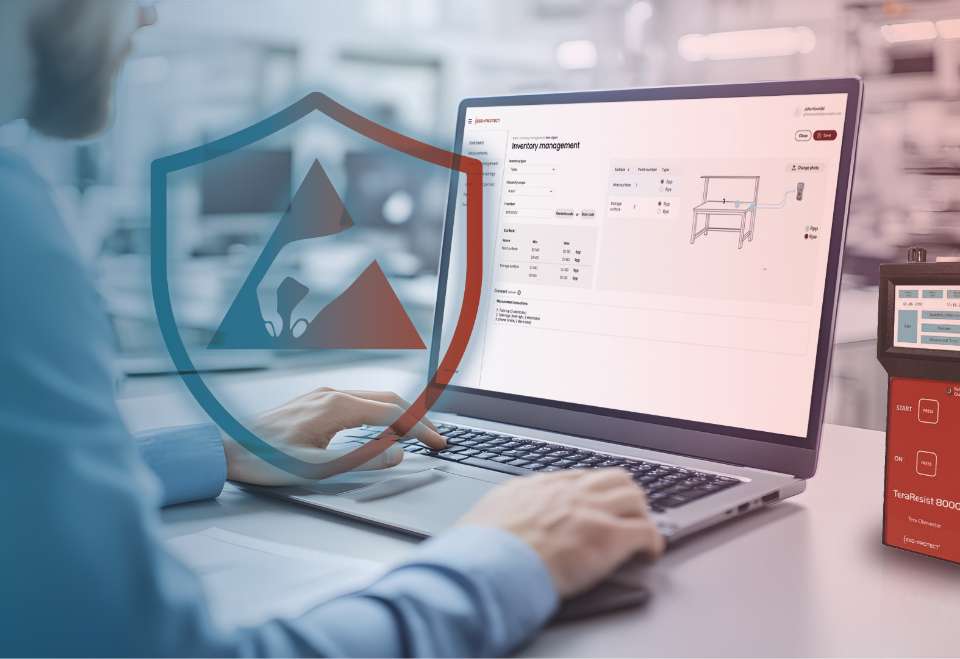
Im “Measurements” menu, the measured inventory is localized according to the previously defined structure. Measurement points for Rpp and Rpe measurements can be defined directly on the photo of the test object, enabling even untrained or non-specialized personnel to perform measurements. The measurements are evaluated and stored according to the predefined limit values. More detailed measurement information is available in additional views.
- Reminder function for upcoming or overdue measurements via Outlook
- Define measurement points directly on the object photo
- Detailed measurement information
Inventory Management
In the Inventory Management section, all created inventory items can be filtered by various criteria and viewed in detail.
- By location or ID number
- By type (table, chair, etc.)
- By measurement status (passed/failed/due/overdue)
- Detailed view with measurement values and measurement history
Pattern settings
In the Pattern Settings, a range of template objects with the corresponding limit values according to the DIN EN 61340 ESD standard can be created. This allows users on site to directly select a template inventory item such as a table, shelf, or chair during a measurement process.
A variety of standard inventory templates are already integrated into the software.
- Create template inventory items with photo
- Consideration of measurement points and current standard limit values
- Definition of measurement intervals
- Up to 3 measurement points per object with 2 measurements each (Rpp, Rpe)
- Excel import of existing inventory possible
Reports
All measurement reports can be filtered and exported here. These reports provide audit-proof documentation of completed measurements and can be generated easily at the push of a button. All measurement-relevant data, including humidity and temperature at the time of measurement as well as the calibration status of the measuring device, are properly documented.
- Creation of complete measurement reports
- Digital inspection report for each inventory item including photo and history
- Audit-relevant measurement information fully complies with audit requirements
Location Management
In the Location Management section, inventory items can be structured and assigned across up to 4 hierarchical location levels.
- Simplifies locating measurement objects, even for non-specialized personnel
- Inspections can be grouped by building or department, or bundled into daily tasks
- Each inventory item has a unique identification number that can also be scanned via QR code, RFID, or barcode
Tool Management
In the Measuring Device Management section, measuring devices such as the TeraResist 8000 resistance meter are stored together with their calibration information. With the TeraResist 8000, wired communication from the measuring device directly to the laptop and software is possible.
For other resistance measuring devices, the measurement values are entered manually.
- Monitoring of due calibration dates for all measuring devices
- Overview of measuring devices with serial number and valid calibration status
- Quick overview via dashboard
- Detailed individual reports for measuring devices including photo
Tool Management
Individual Report
In the Measuring Device Management section, measuring devices such as the TeraResist 8000 resistance meter are stored together with their calibration information. With the TeraResist 8000, wired communication from the measuring device directly to the laptop and software is possible.
For other resistance measuring devices, the measurement values are entered manually.
- Monitoring of due calibration dates for all measuring devices
- Overview of measuring devices with serial number and valid calibration status
- Quick overview via dashboard
- Detailed individual reports for measuring devices including photo
User Management
Create, edit, and delete users who can log in to Inventix®. Each created user is assigned a specific role.
- Administrator: Full access
- Responsible: Same permissions as Administrator, but without user management
- User: Access/editing of own contact data and access to the following menus: Pattern Settings, Measurements, Inventory
Perfect Match for the Inventory Software:
TeraResist 8000 Resistance Meter
Fully Digital Monitoring of All ESD Inventory
Your Digital Shield Against ESD Risks
Immediate
ESD Compliance Verification
No Measurement Process
Will Ever Be Missed Again
Complete Transparency & Traceability
Time and Cost Savings – Up to 50% Reduction in Time Expenditure
Get Started with Inventix® Now
Experience how simple and efficient modern ESD inventory management can be. We will gladly show you, without obligation, how Inventix® can be implemented in your company.
Why Excel Is a Risk in ESD Management
- Missed inspection intervals
- Incomplete documentation
- High manual workload
- Uncertainty during audits
- Lack of transparency regarding the current status
Audit-Compliant Monitoring
of All ESD Inventory and Measuring Devices
Inventix – made by ESD-Protect
“With more than 20 years of ESD experience and countless measurements and consulting projects carried out, we set out to develop software that combines our passion with the challenges, requirements, and expectations of our customers. With Inventix, we bring real progress to your ESD management.”
Marcel Böhm, Management
ESD Inventory Management – Also for Your Industry
Inventix® – Innovative. Efficient. Standards-Compliant.
Your Benefits with Inventix®
- Significantly reduced manual workload
- Standards-compliant and audit-proof documentation
- Minimization of errors and risks
- Full transparency across all processes
- More efficient audits and inspections
Automotive
Electronics Manufacturing Services
Medical Technology
Air & Defence
SME Suppliers
Facilities
Repair Services
Consumer Products
Mechanical & Plant Engineering